
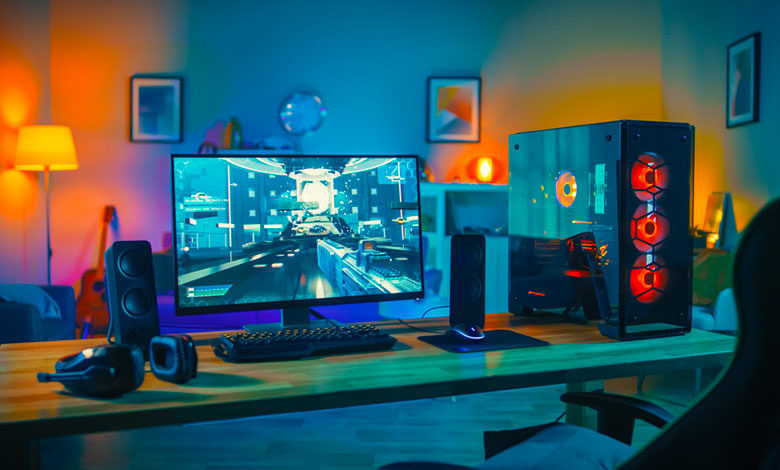
Building your own gaming PC in 2025 is more exciting—and accessible—than ever. With rapid advancements in hardware and a wealth of resources online, creating a custom rig tailored to your gaming needs can offer unbeatable performance, upgradeability, and value. Whether you’re a first-time builder or upgrading from an older setup, this guide will walk you through everything you need to know to build the perfect gaming PC in 2025.
Setting Your Budget and Goals
Before diving into components, it’s crucial to define your budget and what you want from your gaming PC. Are you a casual gamer who enjoys indie titles, or a hardcore enthusiast aiming for 4K, VR, or streaming? Your budget will guide your choices and set expectations for performance.
In 2025, gaming PCs can range from affordable entry-level builds around $700-$800 to powerhouse rigs exceeding $3,000. For example, an entry-level build might comfortably handle popular esports titles like Valorant or Fortnite, while a high-end setup is ideal for demanding AAA games and streaming at ultra settings.
Future-proofing is also important. Even if you’re on a tight budget, investing in slightly better components now can save you from costly upgrades soon.
Choosing the Right Components
CPU (Processor): The processor is the heart of your gaming PC. In 2025, leading options include Intel’s 14th Gen Core series and AMD’s Ryzen 7000 series. Both offer excellent performance, with AMD often providing better multi-threaded power for streaming and multitasking, while Intel excels at single-core speeds that benefit many games. Aim for at least a 6-core CPU for gaming.
GPU (Graphics Card): The graphics card has the biggest impact on gaming visuals and frame rates. Nvidia’s RTX 40-series and AMD’s RX 7000-series dominate the market, offering technologies like ray tracing and AI-enhanced upscaling. Choose a GPU that matches your gaming goals—mid-range cards like the RTX 4060 Ti are perfect for 1080p and 1440p gaming, while top-tier GPUs like the RTX 4090 shine at 4K and VR.
RAM (Memory): In 2025, 16GB of DDR5 RAM is the sweet spot for most gamers, balancing cost and performance. If you’re streaming or multitasking heavily, consider 32GB. RAM speed and latency also influence performance, so choose modules compatible with your motherboard and CPU.
Storage: Speedy storage improves load times and responsiveness. NVMe SSDs are the standard now, with capacities ranging from 500GB to 2TB or more. Many builders opt for a combination: an NVMe SSD for the operating system and games, and a traditional HDD for mass storage.
Motherboard: Choose a motherboard that supports your CPU’s chipset and offers expansion slots, USB ports, and networking features you need. Popular chipsets for gaming PCs include Intel’s Z790 and AMD’s X670. Look for built-in Wi-Fi and good VRM cooling if you plan to overclock.
Power Supply Unit (PSU): A reliable PSU with enough wattage is crucial. Use online calculators to estimate your power needs, but for most mid to high-end builds, a 650W to 850W 80 Plus Gold certified PSU provides efficiency and headroom.
PC Case: Your case should fit all your components comfortably and provide good airflow. Cases range from compact mini-ITX to spacious full towers. Look for features like dust filters, cable management options, and support for liquid cooling.
Cooling: Good cooling ensures your PC runs quietly and efficiently. Air cooling with quality fans works well for most builds, but liquid cooling is popular for high-end systems or overclocking setups.
Peripherals and Accessories
Don’t forget your peripherals! A gaming monitor with a high refresh rate (144Hz or higher) and low response time will complement your powerful PC. Mechanical keyboards, precision mice, and a good headset enhance your overall gaming experience.
Building Your PC: Step-by-Step
Building your PC involves assembling these components carefully. Start by installing the CPU and RAM on the motherboard, mount the motherboard in the case, then install the PSU, GPU, and storage drives. Take your time with cable management to ensure airflow and aesthetics.
Once assembled, power on your system, enter BIOS to check hardware detection, then install your operating system. After that, update drivers and install essential software.
Optimizing and Troubleshooting
After your build is up and running, use benchmarking tools to test performance and tweak settings as needed. If you encounter issues like no display or system crashes, double-check connections, BIOS settings, and component compatibility.
Building a gaming PC in 2025 is a rewarding way to get exactly what you want from your gaming experience. With the right budget, components, and careful assembly, you’ll enjoy a powerful system that delivers stunning visuals and smooth gameplay for years to come. Ready to get started? Grab your toolkit and start building your dream gaming rig today!